Introduction To WEB and HTML BASIC TAGS

Hey There, I am going to start my new blogging journey, as I am learning full stack web development and I will sharing my all learning here. Keep learning Keep Growing :)
What is WEB?
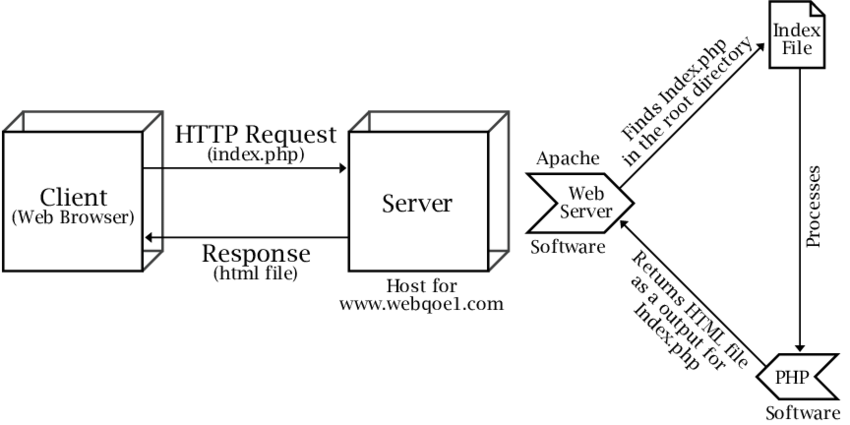
WEB word comes from Word Wide Web. Web that can contain multiple page with some meaningful information and images to showcase value of product and Service this is know as website. User can access this website using connected to internet. There are different web server was available form that user can access those website by hitting hostname of that website. There are different types of server eg. Apache web Server, Microsoft Internet Information Service, Nginx etc.
- Apache Server
It is an open source of free software which gives powers many websites. Its official name is Apache HTTP Server which is maintained by Apache foundation. Its main job is serving the website owners, the content of the websites. It is very old and reliable web server.
# What is HTML?
HTML Stands for 'HYPERTEXT MARKUP LANGUAGE' and it has contains the information/Content of the the webpages. HTML file that can contain .html extension.HTML file that can contain the different types of tag such has heading,Image,Paragraph,hyperlink and other reference.
Below Is the Basic structure of html while writing the code.
<!DOCTYPE html> //Type of document is HTML
 <html lang="en"> // Language of file is english(en)
 <head> // this tag can contain information about document
     <meta charset="UTF-8">
    <meta http-equiv="X-UA-Compatible" content="IE=edge">
    <meta name="viewport" content="width=device-width, initial-scale=1.0">
     <title>Document</title>
 </head>
<body>
     Here we can write the content of document
 </body>
 </html>
NOTE
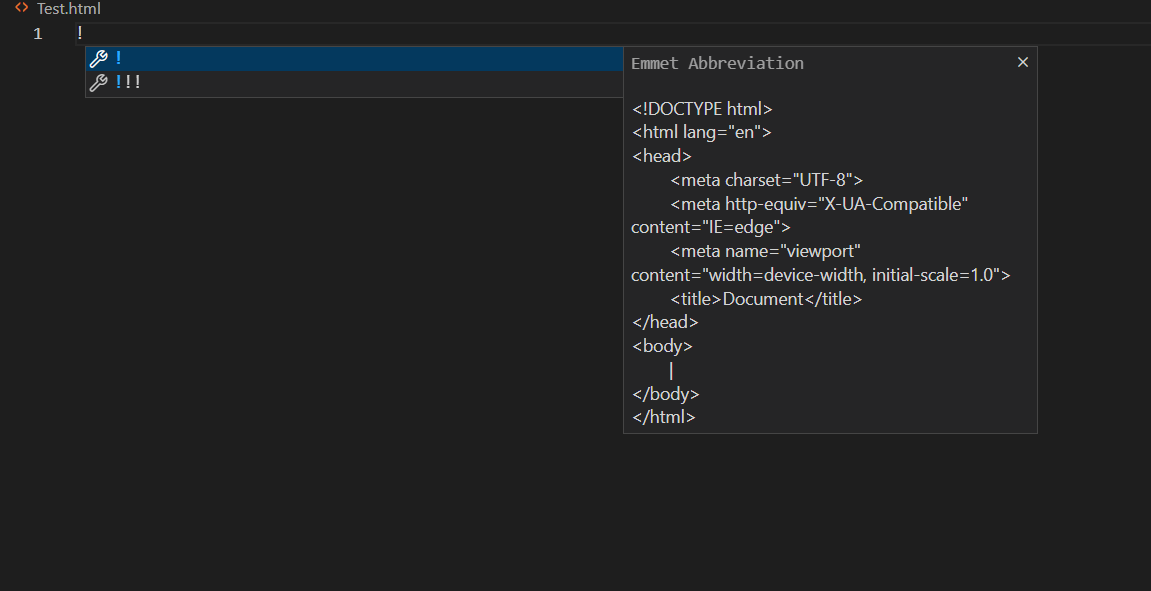
There is an Emmet extension to add Basic structure of HTML
Press shift+! then hit TAB
1. Heading Tag
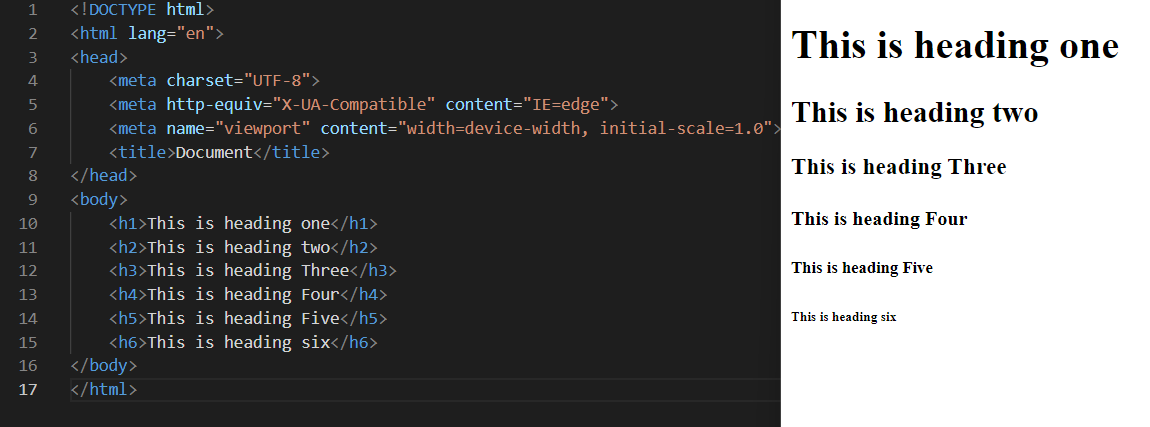
There are total six heading tag in HTML h1-h6
- h1 has Highest important
- h6-has lowest important
<!DOCTYPE html>
<html lang="en">
<head>
    <meta charset="UTF-8">
    <meta http-equiv="X-UA-Compatible" content="IE=edge">
    <meta name="viewport" content="width=device-width, initial-scale=1.0">
    <title>Document</title>
</head>
<body>
    <h1>This is heading one</h1>
    <h2>This is heading two</h2>
    <h3>This is heading Three</h3>
    <h4>This is heading Four</h4>
    <h5>This is heading Five</h5>
    <h6>This is heading six</h6>
</body>
</html>
Output
2.Image Tag
This tag can be use to add images in webpages. Image that can contain so many attribute will describe one by one.
- src--This attribute contain the source path of the image.
Height--This attribute can define height of image.
Width--This attribute can define width of image.
- alt--This attribute can define alternate text for image if image was not display.
- Size--This attribute define the size of image in different layout.
<!DOCTYPE html>
<html lang="en">
<head>
    <meta charset="UTF-8">
    <meta http-equiv="X-UA-Compatible" content="IE=edge">
    <meta name="viewport" content="width=device-width, initial-scale=1.0">
    <title>Document</title>
</head>
<body>
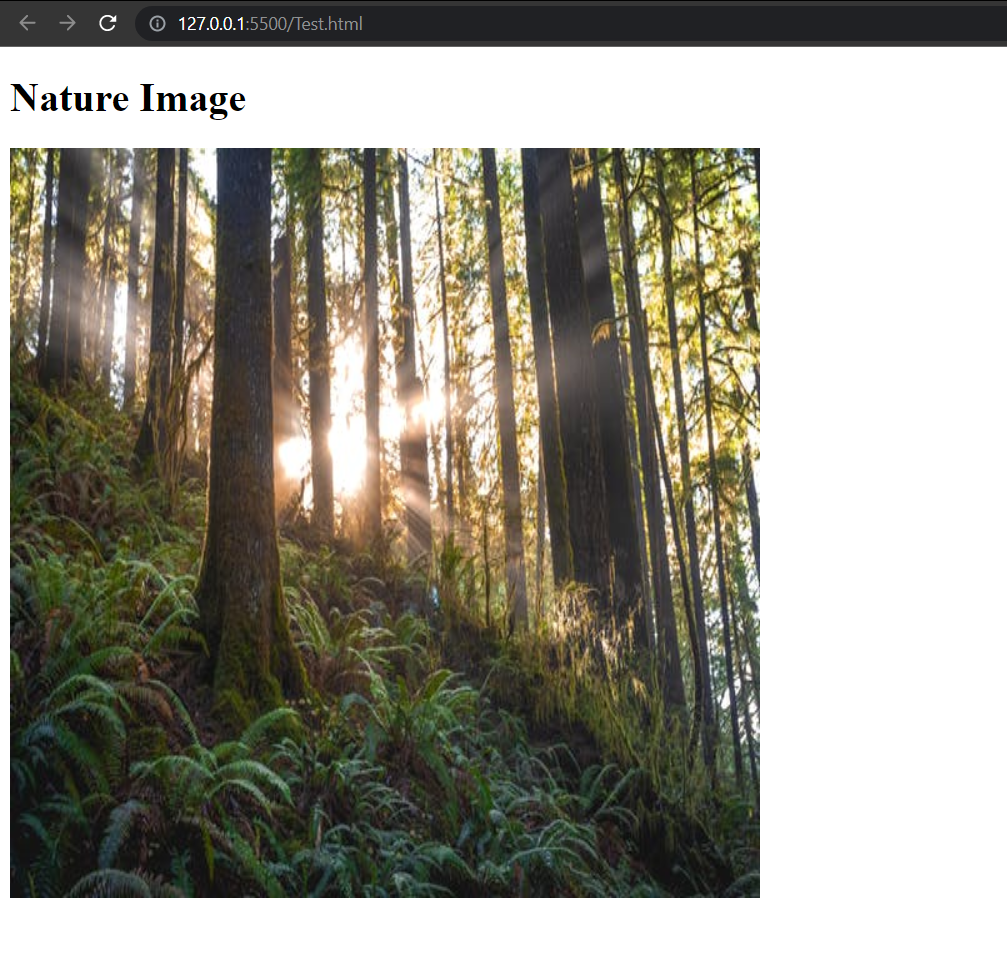
    <h1>Nature Image</h1>
    <img src="https://images.pexels.com/photos/1757363/pexels-photo-1757363.jpeg?auto=compress&cs=tinysrgb&w=600" alt="nature Image" width="600" height="600">
</body>
</html>
Output